

GCash Cash in Cash Out Tips for Beginners Panalobet

Hey, it’s super common to see a bunch of brand-new players create a Panalobet account all fired up with plans to bet big. But the second they try to send or receive money, it all falls apart. A ton of people just give up and turn to GCash because it’s already sitting on their phone—no extra app, no download, no signup. They figure they can just use it. That’s the problem though: the whole thing still feels clunky and awkward the first few times. The steps are buried, the buttons don’t line up, and you have to fiddle around before you actually get anywhere. It’s annoying as hell when you’re trying to get shit done fast. These Panalobet GCash Cash in Cash Out tips are meant for beginners who just want the process to work without the usual hiccups.
Get a Few Basics Sorted First
A little preparation goes a long way. Make sure the GCash account is fully verified. Without that, limits stay low and some options stay locked. The mobile number used on GCash has to match the one registered on Panalobet, and the names should look the same. A missing middle initial or slight spelling difference is enough to slow everything down.
It also helps to have a clear photo of a government ID ready. Panalobet keeps asking for verification before any withdrawal. Upload the stuff right away so you never have to panic when the cash is ready to leave. Also turn on notifications for both apps — that way you won’t miss the confirmation texts.
Moving Money Into the Account
Depositing with GCash on Panalobet is usually quick once the order of steps is known. Log in, pick GCash from the deposit options, type in the amount (start with like ₱100), then open the GCash app and approve it with your PIN or fingerprint.
Balance usually shows in a few seconds. If not, check transaction history on both apps.
For the first few times:
- Keep GCash app open the whole time so approval doesn’t time out.
- Start small until it feels normal.
- Look twice at the number and the amount before confirming.
- Check whether any deposit promotion is running that day.
Weak signal or picking the wrong payment option are the two reasons deposits stall most often. A steady connection and a second glance at the screen prevent most of those problems.
Taking Money Back Out
Withdrawals follow a similar path but need a bit more care the first time. Log in, go to the withdrawal section, select GCash, enter the registered number and the amount, then submit. On verified accounts the funds often arrive in GCash fairly quickly.
Before sending the request, check whether any active bonus still has playthrough left. Trying to withdraw while those requirements remain unfinished is one of the most common reasons a request gets cancelled. Using the same GCash number that handled the deposits also keeps extra checks to a minimum.
A few points that keep cash-outs cleaner:
- Finish the verification on Panalobet early instead of waiting until there is something to withdraw.
- Stay inside the daily limits set by both GCash and the platform.
- Save the withdrawal reference number in case support needs it later.
- Wait for the GCash notification rather than refreshing the app repeatedly.
Some people later turn their GCash balance into physical cash at partner stores or ATMs. That step sits outside the Panalobet transaction and follows regular GCash rules.
Staying Safe and Skipping the Usual Mistakes
Official support at Panalobet never asks for your PIN, OTP, or full account details over the phone or through random messages. If they do, it’s a scam — just hang up or block it.
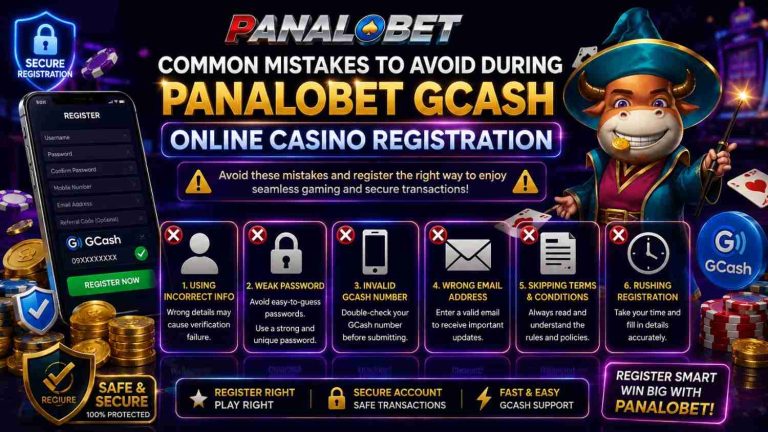
other easy mistakes new players make all the time:
- mistyping the withdrawal number (super common, happens way more than you’d think)
- trying to cash out a big amount before the account’s fully verified
- rushing the transfer when your connection is iffy or spotty
Slow down, double-check every single thing, and stick with a solid signal. Those small things prevent most headaches.
Settling Into the Routine
Once you’re in the habit, it gets way easier. Start small, keep a quick note of every deposit and withdrawal, and only move up once you feel comfortable. Check the help page on Panalobet now and then for any quick updates or temporary notices. When GCash cash-in and cash-out starts feeling normal, you can finally stop babysitting the wallet and focus on the games.
Just match the details every time, stay patient, and do the same steps. It turns from “this is annoying” into something you barely notice anymore.





One Comment